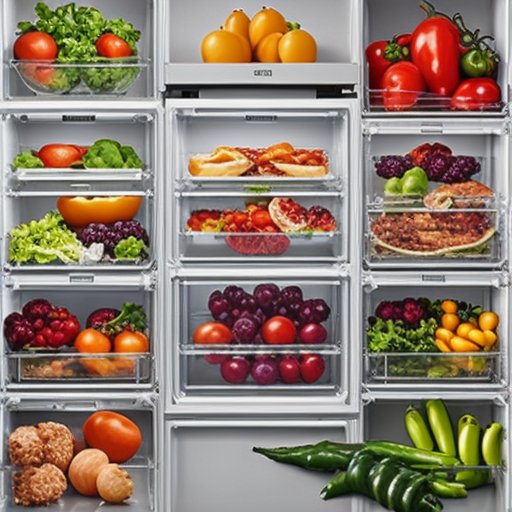
So-called smart refrigerators combine a mobile app, adjustable temperature zones and, on premium models, internal cameras. These features vary a lot from one model to another, and some foods benefit far more than others. Here is what keeps better, and how to genuinely make the most of a connected fridge.
What 'Smart' Actually Means
A connected fridge does not preserve food by magic. What really changes comes down to a few concrete things: an app that tracks your stock and sends alerts, drawers whose temperature you can switch (from chilling to freezing, for example), tighter temperature regulation and sometimes a camera that recognises your groceries. By contrast, crisper humidity is still controlled on most appliances by a simple slider that opens or closes an air vent, not by a sensor that adjusts it on its own. Knowing this avoids false expectations.
Sensitive Fruits and Vegetables
The crisper drawer works like a small humidity-controlled chamber. A slider opens or closes a vent: closed, humidity rises and suits leafy greens (lettuce, spinach, fresh herbs); open, air circulates and suits ethylene-producing fruit. On a connected model, the app can recognise stored items and suggest the right setting, which helps prolong the freshness of the most fragile produce.
Not all produce tolerates cold in the same way, so it is worth checking our guide to fruits and vegetables sensitive to cold and the list of foods that belong in the vegetable drawer.
Dairy Products
Milk, yoghurt and fresh cheeses need a stable, cold temperature. The precisely regulated zones of a smart refrigerator limit the swings that happen every time the door opens, which protects these sensitive products. Keep them in the coldest, steadiest part of the cabinet, never in the door. To decide what goes where, see the ideal temperature for each refrigerator zone.
Meats and Fish
Many models include a chiller drawer held at around 0 °C, colder than the rest of the compartment. Meat and fish stay fresh longer there without freezing, which preserves texture and flavour. This is one of the most useful everyday features, because these are also the most perishable foods and the most expensive to waste.
Prepared Dishes and Leftovers
This is where internal cameras earn their place. Visual recognition systems, such as AI Vision Inside on Samsung Family Hub refrigerators, identify packaged and fresh items and track your stock to cut food waste. Be aware of one limit, though: a camera cannot see inside an opaque container. For a cooked dish, you set the date yourself in the app so it reminds you before the food spoils. Our advice on how long you can keep a cooked dish in the fridge pairs well with this feature.
Beverages
Convertible drawers let you dedicate a zone to drinks at a precise temperature, with no risk of freezing bottles. Handy for water, soft drinks or wine that need a controlled temperature range.
Less Waste, a Manageable Bill
The real value of a smart fridge shows over time: tracking your stock better means less spoilage and fewer wasted purchases. That said, connectivity is not everything. For genuine energy savings, the appliance's efficiency class and upkeep matter more, as explained in our guide to reducing your refrigerator's energy use. If you are still weighing it up, see whether a smart fridge is actually worth it.
Conclusion
A smart refrigerator mainly helps with fragile foods (leafy greens, sensitive fruit, meat, fish) and with not forgetting what is hiding at the back of the shelves. Before you invest, look at the features that are genuinely useful to you rather than the touchscreen: 0 °C zones, convertible drawers and stock tracking are what really improve day-to-day storage.